




How to clean the Automatic Surface Grinder after use?
 Sep 29, 2025|
 Hey there! As a supplier of Automatic Surface Grinders, I know how important it is to keep these machines in top - notch condition. Cleaning your Automatic Surface Grinder after each use not only extends its lifespan but also ensures consistent, high - quality performance. In this blog, I'll share some practical tips on how to clean your Automatic Surface Grinder effectively.
Why Clean Your Automatic Surface Grinder?
Before we jump into the cleaning process, let's quickly talk about why cleaning is so crucial. During the grinding process, a lot of debris, such as metal particles, coolant residue, and grinding dust, accumulates on the machine. If left uncleaned, these contaminants can cause several problems. They can damage the moving parts of the grinder, leading to increased wear and tear. This might result in inaccurate grinding, reduced efficiency, and even breakdowns. Regular cleaning helps prevent these issues, saving you time and money in the long run.
Preparation
First things first, you need to prepare for the cleaning process. Make sure the grinder is turned off and unplugged to avoid any electrical hazards. Wear appropriate personal protective equipment (PPE), like safety glasses and gloves. You'll also need a few cleaning tools, such as a brush, a vacuum cleaner, a cleaning solution, and some clean rags.
Cleaning the Grinding Wheel
The grinding wheel is one of the most critical parts of the Automatic Surface Grinder. Start by removing any large debris from the wheel using a brush. Be gentle to avoid damaging the wheel. Then, use a vacuum cleaner to suck up the fine dust particles. If there's stubborn residue on the wheel, you can use a specialized grinding wheel cleaning solution. Apply the solution according to the manufacturer's instructions, and then rinse it off with clean water. Make sure the wheel is completely dry before using the grinder again.

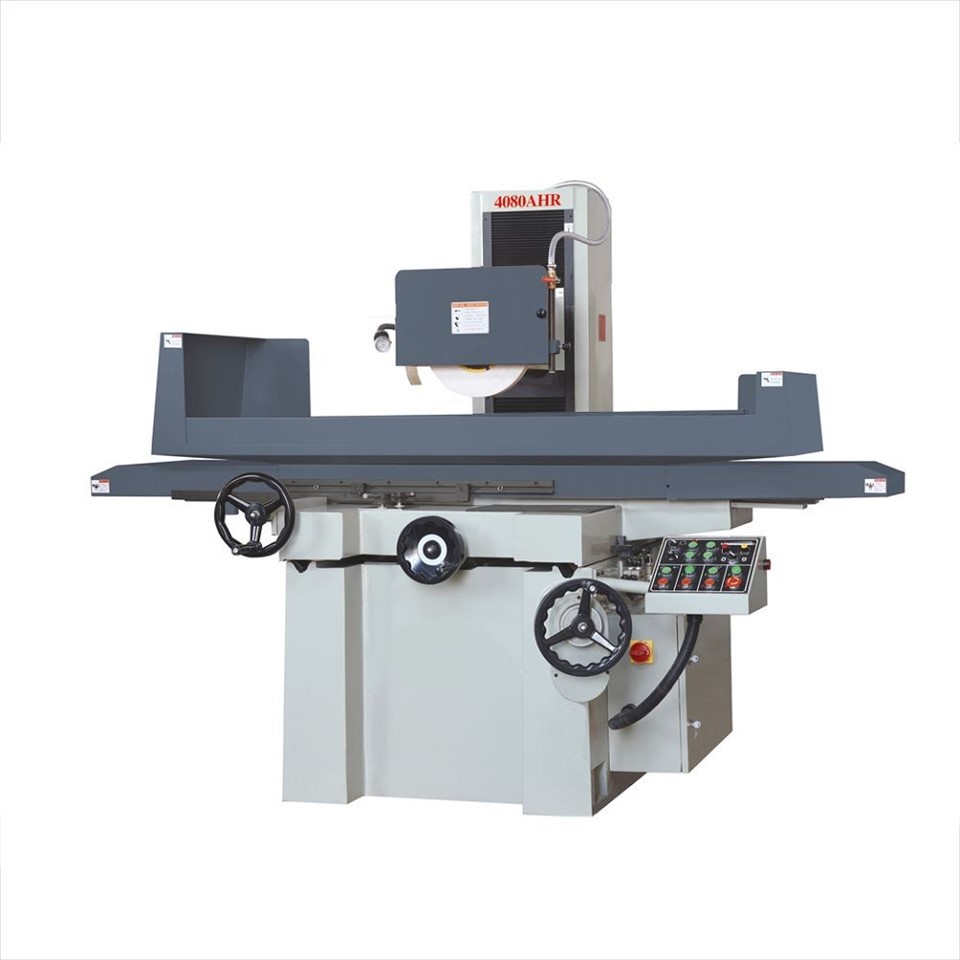
Cleaning the Worktable
The worktable is where the workpiece is placed during grinding, so it tends to collect a lot of debris. Use a brush to sweep off any loose particles from the worktable. Then, use a cleaning solution and a clean rag to wipe down the surface. Pay special attention to the T - slots on the worktable, as these can trap debris. You can use a small brush or a pick to clean out the T - slots. After cleaning, dry the worktable thoroughly to prevent rusting.
Cleaning the Coolant System
The coolant system plays a vital role in keeping the grinding process cool and reducing friction. Over time, the coolant can become contaminated with metal particles and other debris. Start by draining the old coolant from the reservoir. You can use a pump or a siphon to do this. Then, clean the reservoir with a cleaning solution and a brush. Make sure to remove all the sediment and debris from the bottom and sides of the reservoir. Rinse the reservoir thoroughly with clean water and refill it with fresh coolant.
Cleaning the Machine Enclosure
The machine enclosure protects the internal components of the grinder and keeps the debris from spreading. Use a vacuum cleaner to remove any dust and debris from the enclosure. Then, wipe down the enclosure with a cleaning solution and a rag. Check the doors and windows of the enclosure for any damage or leaks. If you find any issues, repair them as soon as possible to maintain the integrity of the enclosure.
Lubricating Moving Parts
After cleaning, it's a good idea to lubricate the moving parts of the Automatic Surface Grinder. Refer to the machine's manual to find out which parts need lubrication and what type of lubricant to use. Apply the lubricant according to the manufacturer's instructions. This will help reduce friction, prevent wear and tear, and ensure smooth operation of the machine.
Inspecting for Damage
While cleaning, take the opportunity to inspect the grinder for any signs of damage. Check the belts, pulleys, and gears for wear and tear. Look for any loose or damaged bolts and nuts. If you notice any issues, address them immediately. Minor problems can quickly turn into major ones if left unattended.
Regular Maintenance Schedule
To keep your Automatic Surface Grinder in excellent condition, it's essential to establish a regular maintenance schedule. Set aside time after each use to perform a basic cleaning, as described above. In addition, schedule more in - depth maintenance tasks, such as a thorough inspection and calibration, on a monthly or quarterly basis.
Conclusion
Cleaning your Automatic Surface Grinder after use is a simple yet effective way to ensure its longevity and performance. By following the steps outlined in this blog, you can keep your grinder running smoothly for years to come. If you're in the market for a new Automatic Surface Grinder or need any replacement parts, we've got you covered. We offer a wide range of high - quality machines, including the High Quality Surface Grinder and the CNC Centerless Grinding Machine. You can check out our Automatic Surface Grinder on our website for more details.
If you have any questions about cleaning, maintenance, or purchasing an Automatic Surface Grinder, feel free to reach out to us. We're here to help you make the best decision for your business.
References
- Manufacturer's manual of Automatic Surface Grinder
- Industry best practices for grinder maintenance